
Pupils & progress
Know the pupil
before the next Lesson.
Useful pupil records carry forward what was taught, what needs attention and the practical details for the next meeting.
Built around your working day
Context for the next conversation.
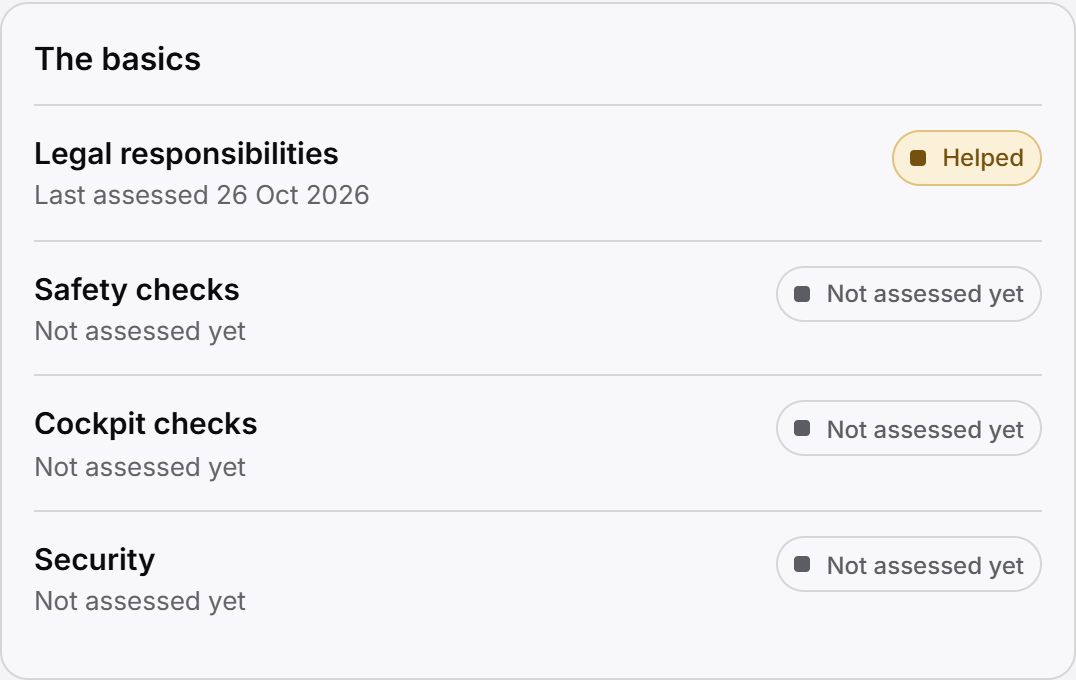
Progress records support teaching conversations. They do not predict test readiness or claim an official DVSA result.
The practical picture
What can the pupil record tell you?
Open a pupil workspace and move between Overview, Lessons, Progress and the other sections your role permits. Details groups Learning and Records & admin, with Notes available when needed. Saved locations, test information and Lesson history retain their own context. Record syllabus topic assessments and feedback as part of teaching. Share only published information in the pupil workspace, so an internal note does not silently become pupil-facing.
Progress records support teaching conversations. They do not predict test readiness or claim an official DVSA result.
One continuing record
The practical details belong beside the teaching history.
A pupil’s contact context, assigned Instructor, saved locations and weekly availability help make the next appointment workable. The Lesson history explains the teaching that has already happened. Neither replaces the other.
Saved pickup and meeting locations avoid starting again with the same practical details. Availability describes when the pupil normally can attend; it is not a booking or a promise that their Instructor is free.
Recorded theory and practical test information can add context to planning. It is manually maintained product information, not an automated DVSA connection or an official result verification service.
A teaching conversation that continues
Review the past. Record the work. Share what is ready.
Before the Lesson
Review earlier Lessons, syllabus topic assessments and published feedback. Use that context to plan the next conversation, rather than treating a single progress value as readiness.
After teaching
Record progress and feedback alongside the Lesson. Keep internal notes separate from material intended for the pupil.
Between Lessons
The authorised pupil can return to shared progress and published feedback in their own workspace. The next Lesson begins with a continuing record.
Connected, with boundaries
A request, a Lesson and a balance tell different stories.
A pupil can ask for a new time or a reschedule through the permitted request workflow. They do not directly edit a confirmed Lesson. Staff can consider the request alongside availability, locations and existing diary commitments.
Relevant money records remain connected to the pupil: received payments, Account Credit and Lesson amounts where accounting is enabled. A balance is a financial fact, not a measure of teaching progress or an entitlement to a fixed number of hours.
Follow pupil requests and confirmed booking, payment and credit records, or the pupil’s own web workspace to understand each part.
Fictional pupil example
A new meeting point does not mean a new pupil story.
Amelia normally meets at home, but needs a different pickup next week. Her saved location context and request help the Instructor plan the change. Her earlier Lesson history and published feedback still belong to the same continuing pupil record.
In a school, assignment changes require deliberate handling of future commitments. Previous Lessons retain the teaching Instructor’s attribution. This does not promise automatic transfer of records between unrelated schools.
See school assignment and access for the team context, or read the pupil progress guide.
Questions answered
What is recorded, and what is shared?
Find answers to common questions about this part of your working day.
Can pupils see all of my notes?
No. The pupil workspace shows permitted information, including shared progress and published feedback. An internal note does not automatically become visible to the pupil.
Can pupils change their own confirmed Lessons?
They can use supported request workflows to ask for a change. A request does not itself move the appointment; an authorised confirmation is required.
Can I return to feedback from earlier Lessons?
Yes. Previous Lesson records and published feedback provide continuing teaching context. This does not claim a full revision archive of every earlier feedback edit.
Can I save pickup locations and pupil availability?
Yes. Saved location and recurring weekly availability records support planning. Availability is separate from an appointment and does not reserve time.
Can I record test information?
Yes, within the supported theory and practical test records. The information is not automatically verified with DVSA, and progress records do not predict an official result.
For a concise reference to access, mobile delivery and product boundaries, read About Miles & Minutes.
Practical reading
Work through the question.
Keep exploring
See how it connects.
Early Access
Register your interest.
Register interest in an upcoming cohort. An invitation or launch benefit is not guaranteed.