
Requests & availability
Keep a request
separate from a booking.
Pupils can ask for a change or a new time. Instructors can offer a slot. The diary changes only when an authorised booking is confirmed.
Built around your working day
Ask. Offer. Confirm.
This is controlled in-account booking, not unrestricted public online booking or a public instructor marketplace.
The practical picture
How does available time become a Lesson?
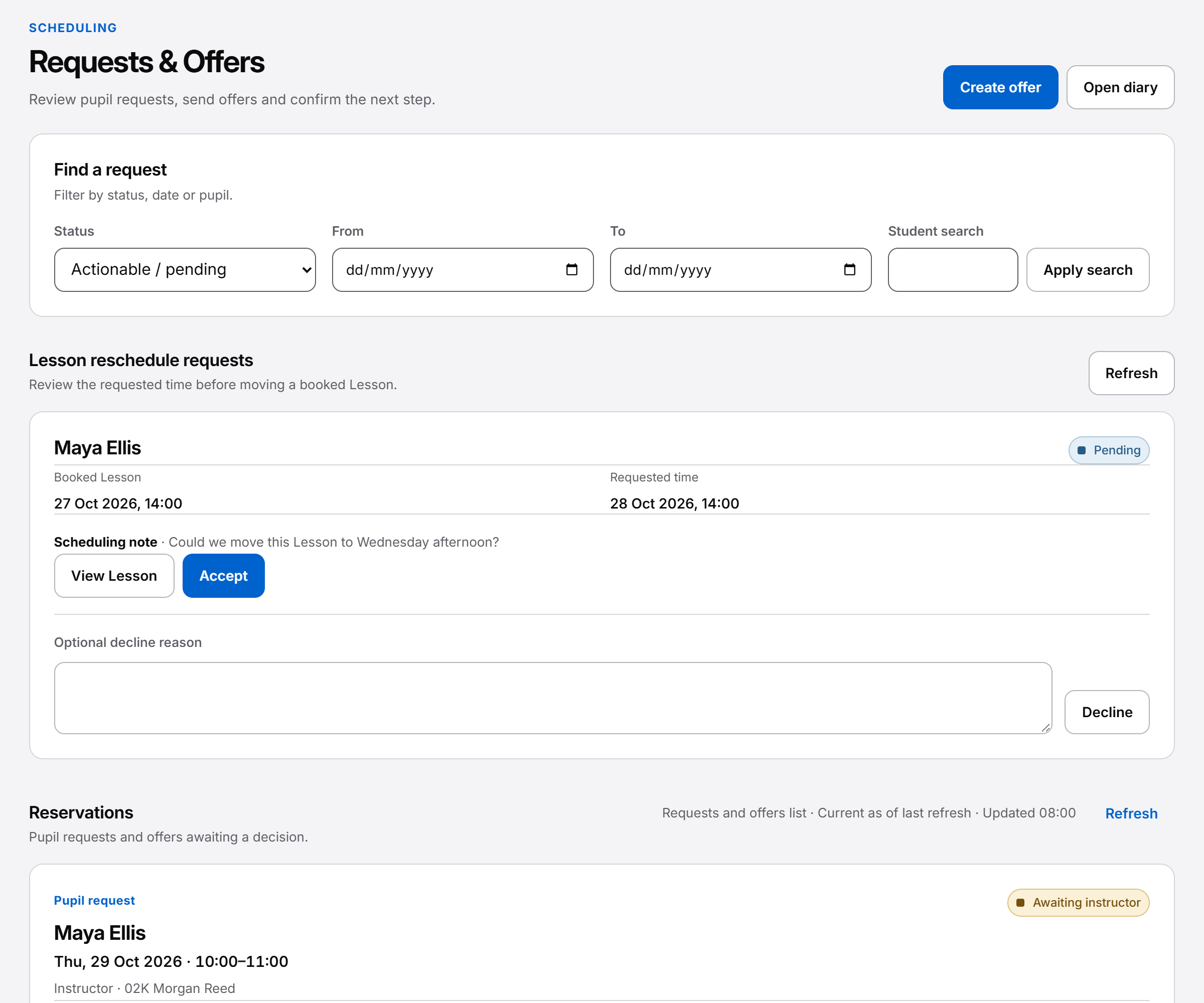
A request starts a conversation rather than reserving the diary. An Instructor may offer a specific time or publish an available lesson time for eligible pupils. Booking and funding checks apply before the system creates or changes a Lesson. Temporary reservations are displayed separately.
This is controlled in-account booking, not unrestricted public online booking or a public instructor marketplace.
Routes into confirmed work
A request starts a conversation. Confirmation books the work.
There is more than one booking path. Every pupil does not have to follow one automatic request-to-offer sequence.
- A pupil request
- The pupil asks for a new time or a change. This records demand without reserving the diary or moving an existing lesson. An Instructor can consider a specific offer.
- An Instructor offer
- The Instructor proposes particular time under the applicable booking and funding rules. An offer is not yet a confirmed lesson.
- An available lesson time
- The Instructor publishes specific capacity. Eligible existing pupils may use the permitted in-account booking path; this is not unrestricted public booking.
- A temporary reservation
- A time-limited pending booking is displayed separately. It may expire or be released; it is not the same state as a confirmed lesson.
Plan the capacity first: how the Diary separates booked, blocked and open time.
Before confirmation
Time, location and funding must fit.
Booking checks consider the permitted pupil and Instructor relationship, relevant booking rules and conflicting diary commitments. Pickup or meeting location choices belong to the appointment context, rather than granting access to every saved place.
For a positive-priced pupil open-slot booking, the full price must be covered by existing pupil credit in an enabled finance mode. Insufficient credit does not create a reservation or a lesson. A pupil does not choose a manual payment method to bypass that check.
An Instructor offer follows the Instructor’s chosen permitted funding arrangement. That can differ from the pupil credit-only open-slot path. Neither selecting a payment method nor accepting an offer invents a payment received.
See pupil credit, holds and lesson accounting for the money side. Booking availability and lesson money depend on school settings.
When plans change
Asking to move a lesson leaves the current booking intact.
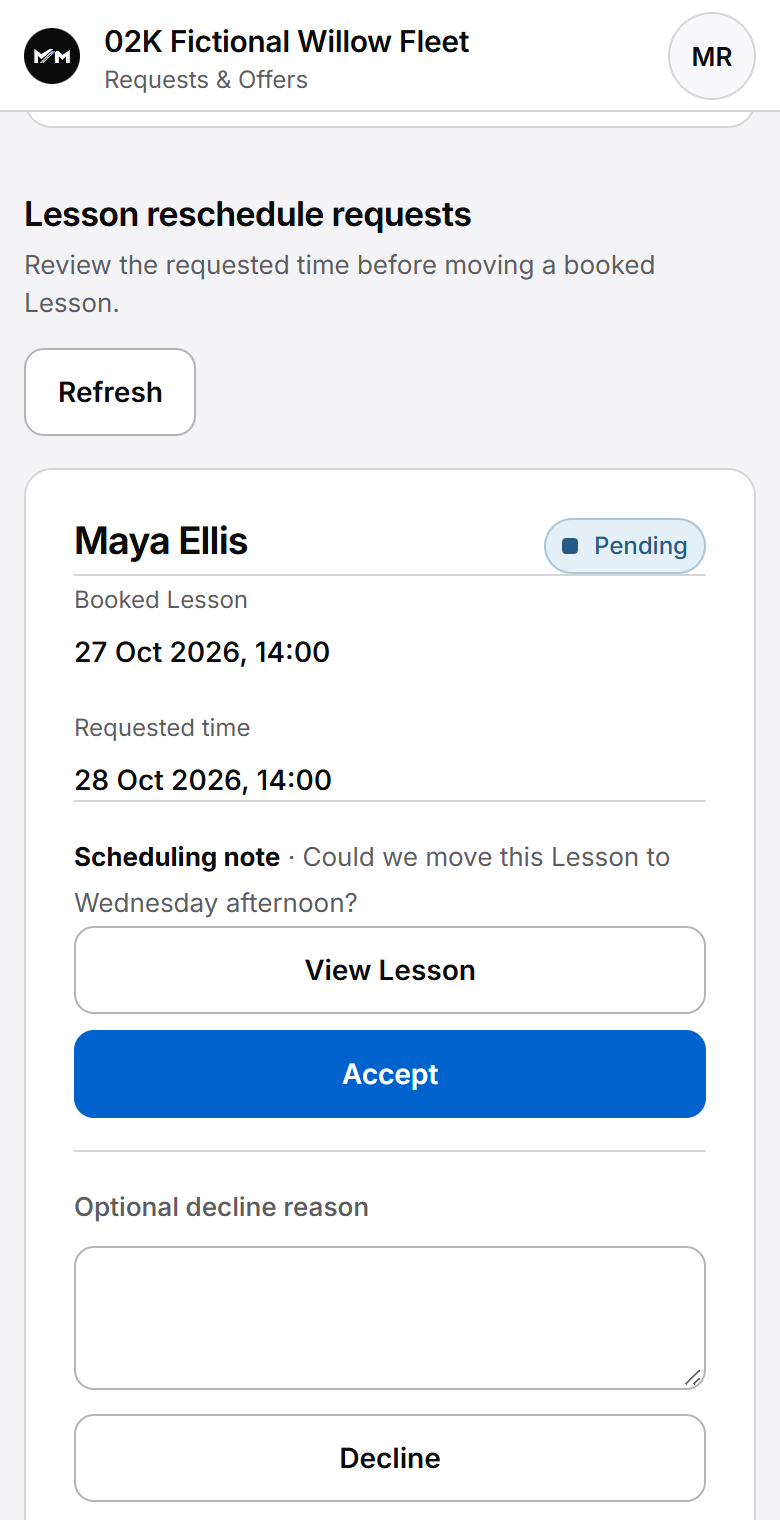
A reschedule request gives the Instructor the pupil’s preferred change. It does not directly edit the diary. The authorised change must pass the relevant checks before the lesson moves, and the lesson’s history remains available.
Cancellation also has a recorded outcome. Whether a lesson retains a charge depends on the applicable rules; cancellation is not a blanket promise of free cancellation or a cash refund.
The pupil workspace lets a permitted pupil follow their own requests and booking state. School office users act only within their scheduling permissions.
Fictional request example
Tuesday is still booked while Thursday is being discussed.
Amelia asks to move Tuesday’s lesson to Thursday. Her request communicates the preference, but Tuesday remains the confirmed appointment while the Instructor checks Thursday’s commitments and the proposed meeting point.
Only an authorised, successful reschedule changes the lesson. A separate available lesson time on Thursday would be open capacity until its own booking path reaches confirmation. Those are related possibilities, not interchangeable states.
Questions answered
What counts as booked?
Find answers to common questions about this part of your working day.
Can anyone book a lesson from the public website?
No. The described workflows are for controlled, eligible in-account pupil access. The public directory is for browsing profiles only; it does not take lesson bookings.
Does requesting a time create a lesson?
No. A request records what the pupil would like. It does not reserve the diary or directly create or move a confirmed lesson.
Can a pupil confirm an open-slot lesson?
Yes, an eligible in-account pupil can create a confirmed lesson through the enabled open-slot booking path after the required checks pass. Positive-priced work requires full existing pupil credit. This is a different path from a request, which reserves nothing.
What is an open slot?
An available lesson time is specific capacity the Instructor chooses to offer. It is separate from normal working hours, unavailable time and a confirmed pupil lesson.
What happens if pupil credit is insufficient?
A positive-priced pupil open-slot booking requires full existing pupil credit in an enabled finance mode. If that check fails, no reservation or lesson is created. Instructor offers follow their own permitted funding arrangement.
Can a temporary reservation expire?
Yes. A temporary reservation is time-limited and separate from a confirmed lesson. Do not treat a pending reservation as final confirmation.
Can pupils reschedule or cancel?
Permitted pupils can use supported request and cancellation workflows under the applicable rules. A reschedule request does not itself move the lesson, and cancellation is not always free.
For a concise reference to access, mobile delivery and product boundaries, read About Miles & Minutes.
Practical reading
Work through the question.
Keep exploring
See how it connects.
Early Access
Register your interest.
Register interest in an upcoming cohort. An invitation or launch benefit is not guaranteed.