
For pupils
A clearer view
of their learning.
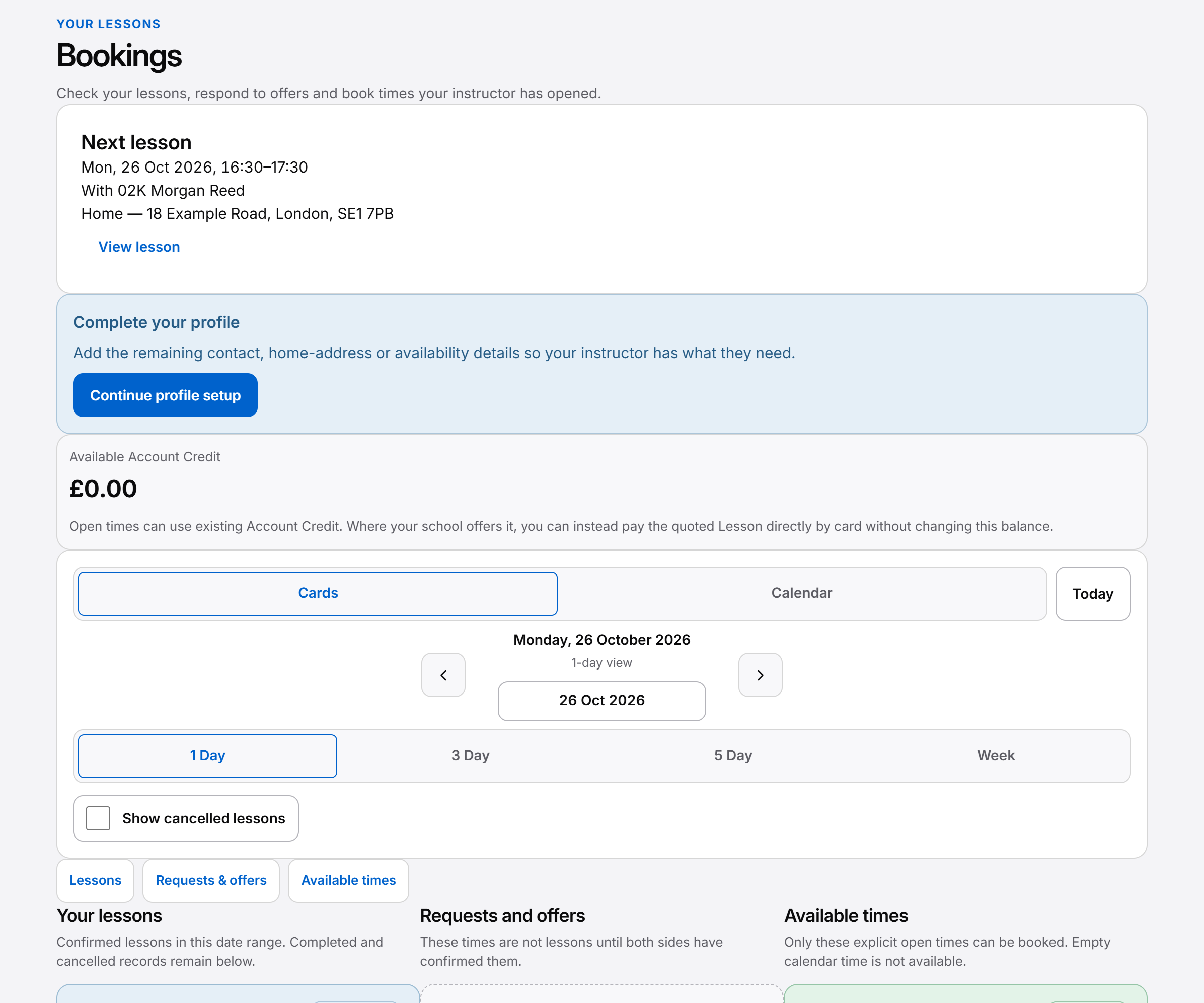
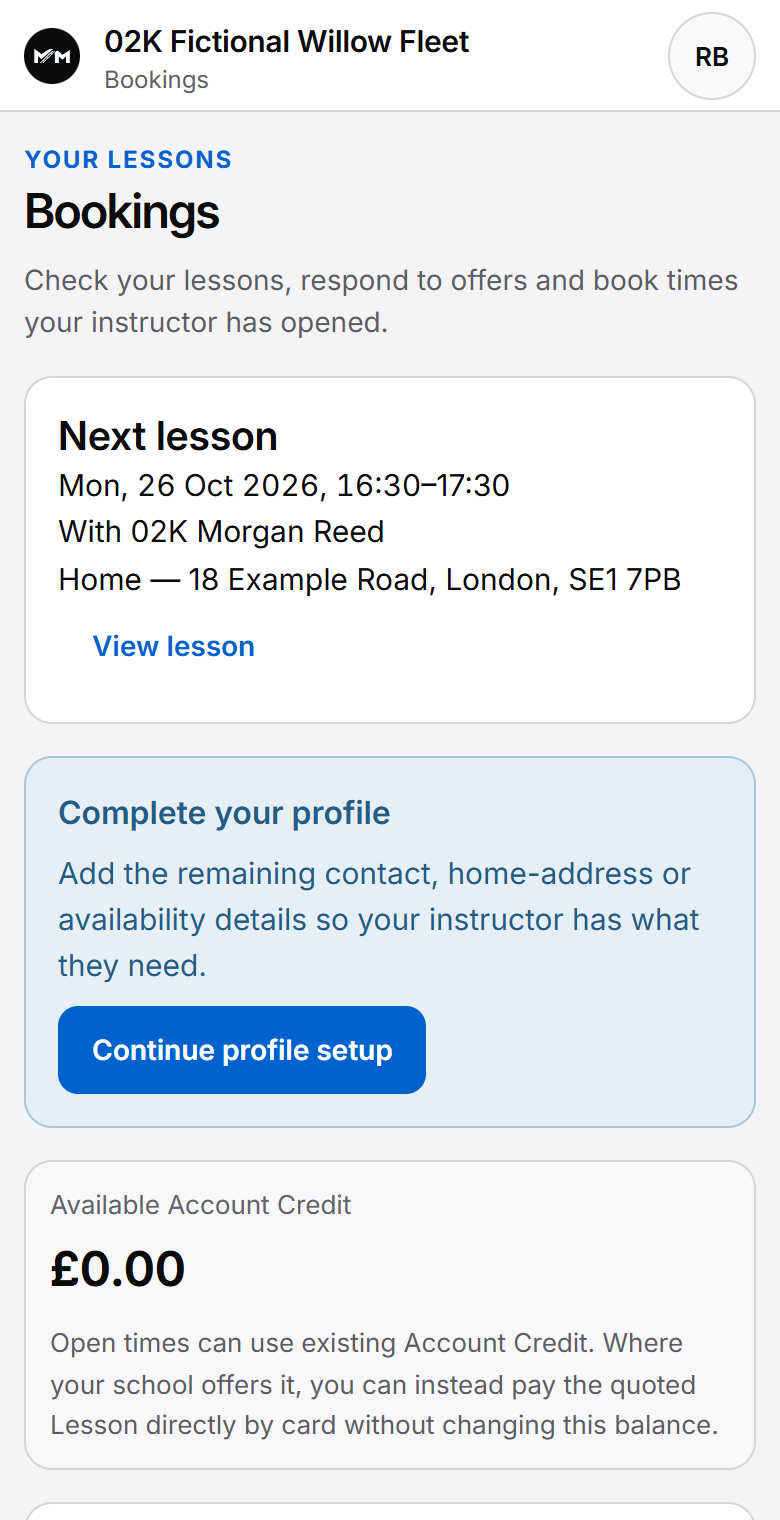
The pupil workspace gathers the next Lesson, shared progress, recorded money and requests in one phone-friendly web experience.
Built around your working day
The essentials, close to hand.
This is a responsive web workspace, not a native iOS or Android app. Features depend on the pupil’s authorised account and school configuration.
The practical picture
What can a pupil check?
An authorised pupil can review upcoming and past Lessons, published feedback and shared progress. Their Money view presents relevant pupil credit and Lesson balances. Requests let them ask for a change without directly editing the Instructor’s confirmed diary.
This is a responsive web workspace, not a native iOS or Android app. Features depend on the pupil’s authorised account and school configuration.
The pupil’s view
The next meeting, and the learning around it.
- Home and Lessons
- Check the next Lesson, relevant Instructor and meeting details, then return to upcoming or past Lessons. A confirmed appointment remains distinct from a request or pending reservation.
- Progress
- Review shared syllabus topics and published feedback between Lessons. This is teaching context, not an automated test-readiness score.
- Money
- See relevant Account Credit and receipts, plus Lesson amounts where Lesson accounting is enabled. Account Credit is money, not a bundle of Lesson hours.
- Profile and locations
- Keep supported personal details, saved locations and normal weekly availability useful for planning. Updating availability does not book the Instructor’s time.
Between two Lessons
Check the plan. Revisit feedback. Ask for a change.
Before meeting
Check the booked time and relevant meeting point. Review published feedback from earlier Lessons to bring the last teaching conversation back into focus.
Between Lessons
Return to shared progress and the permitted money record. The pupil sees their own context rather than another pupil’s work or private staff notes.
When plans change
Use the supported request workflow to ask for a new time or reschedule. Follow the resulting booking state; a request alone does not change a confirmed Lesson.
What the pupil can do
Useful self-service, within the school’s rules.
Pupils can use eligible open TeachingSlots and supported requests where their school permits it. Open-slot booking checks existing Account Credit for positive-priced work; it is not a public booking page or permission to choose any Instructor.
A saved location can support a pickup choice in the permitted workflow. Keeping profile or location information current does not silently rewrite an already confirmed appointment. Confirm the relevant Lesson details when asking for a change.
The workspace’s Money view is conditional. Balance-only tracking and Lesson accounting present different information, and pupil card payments are not currently enabled.
Explore requests, reservations and confirmation and Account Credit and receipts for those boundaries.
Responsive web today
A phone-friendly workspace, with the pupil’s own information.
The pupil experience runs in the browser and adapts to a phone, tablet or larger screen. There is no native iOS or Android pupil app offered today, and no offline in-car recording workflow is promised.
Pupil access is to their own permitted information. Published feedback and shared progress are separate from internal teaching notes. The workspace does not provide access to other pupils’ records.
For a fictional example, Amelia checks her next meeting point, revisits feedback and asks to change a later Lesson. Her Instructor handles the confirmed diary. See the between-Lessons pupil guide and the Instructor’s pupil record for the other side of that conversation.
Questions answered
Questions pupils and instructors ask.
Find answers to common questions about this part of your working day.
Do pupils need to download an app?
No native app download is required. The current pupil workspace is responsive web software for an authorised account, accessed through the browser.
Can pupils see their progress and earlier feedback?
They can return to shared syllabus progress and published feedback in their own permitted view. Internal staff notes are separate, and progress does not predict a test result.
Can pupils request or book more Lessons?
Yes, where the school and account permit it. A request does not reserve time or create a confirmed Lesson. Eligible open-slot booking can create a confirmed Lesson after the required checks pass; positive-priced work requires full existing Account Credit.
Will every pupil see an outstanding Lesson balance?
No. The relevant money view depends on finance settings. Individual Lesson amounts are shown where Lesson accounting is enabled; balance-only tracking has different information.
Can pupils change a pickup location?
Supported profile and saved-location controls help maintain useful planning details. A location update does not itself rewrite a confirmed Lesson; a requested appointment change needs the permitted workflow.
Can one pupil see another pupil’s information?
No. Pupil access is restricted to their own permitted records. Published material for one pupil does not expose other pupils or private staff notes.
For a concise reference to access, mobile delivery and product boundaries, read About Miles & Minutes.
Practical reading
Work through the question.
Keep exploring
See how it connects.
Early Access
Register your interest.
Register interest in an upcoming cohort. An invitation or launch benefit is not guaranteed.